What's new in Sentinel v2
Sentinel v2 is a complete rebuild of ALTCHA Sentinel. We rewrote the server in Rust and reworked every detection mechanism with four goals:
- Faster on less hardware. One small instance handles thousands of verifications per second, and your forms keep working when a database doesn't.
- Fewer false positives. Real visitors pass without friction, and you can see and test every decision before it affects anyone.
- Better protection. New defenses for spam, coordinated campaigns, prompt injection, and AI agents, plus a rules engine that puts you in control.
- Stronger security. Reworked API keys and access methods, alerts that audit your deployment for you.
Your visitors use the same ALTCHA widget. Sentinel does more behind it.
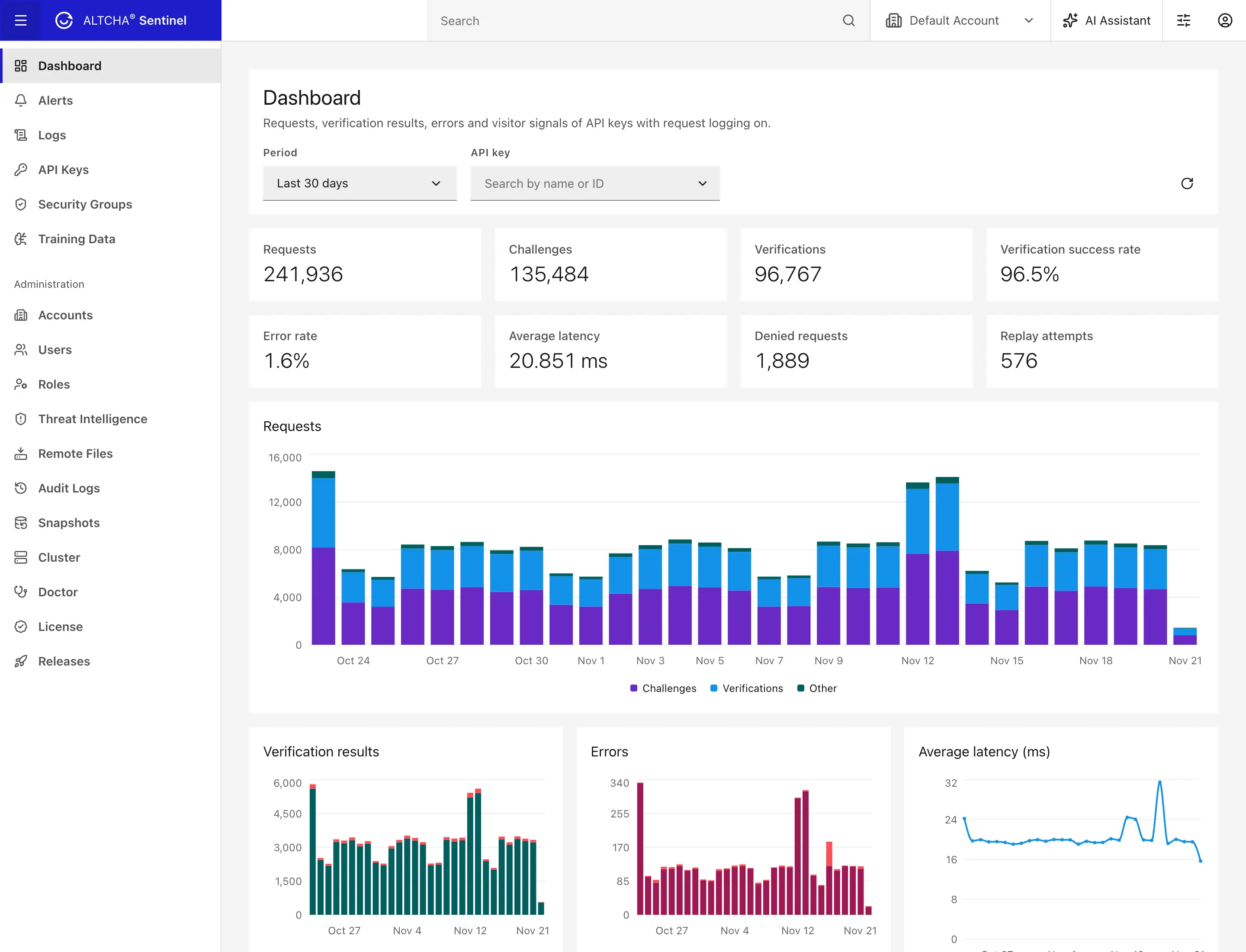
4,400 verifications per second
0% of real people blocked
26 languages
Under 1% of real messages flagged
Faster on less hardware
Thousands of requests per second on one vCPU
Sentinel v2 is a single, compact Rust server. For evaluation or low traffic it runs on 1 vCPU and 512 MB of memory.
In our benchmark, one replica on an AWS c7a.medium (a single vCPU) with Redis served about 4,400 verifications per second and 1,500 challenges per second at 16 concurrent requests. 99% of verifications completed within 5 ms. Request logging, rate limiting, and penalties stayed on, as in production. The Performance & sizing page has the full results and the test setup.
Your forms keep working through outages
Every replica keeps your API keys and security policies in memory. Challenges and verifications keep working while the database is down, and changes you make in the admin UI reach every replica within milliseconds. If the key-value store goes down, rate limits fall back to memory and still apply. See Clustering & high availability.
Scales out when you need it
- Add replicas behind a load balancer. They find each other through Redis and share rate limits, penalties, and replay protection.
- Keep the admin UI private. The public widget API, the admin UI, and Prometheus metrics can each listen on their own port.
- Move logs to ClickHouse when request volume grows, so analytics never compete with your main database.
- Use the database you already run: SQLite, PostgreSQL, MySQL, MariaDB, SQL Server, or Oracle.
Fewer false positives
Blocking a real customer costs you more than letting one bot through. Sentinel v2 adds friction only where the evidence calls for it, and shows you why it decided what it did.
Human Interaction Signature that doesn't block people
Human Interaction Signature (HIS) scores how a visitor interacted with your page. We rebuilt its scoring and tested it against real visitors, automation scripts, and AI agents that drive a browser on their own. At the default settings:
| Visitors | Blocked |
|---|---|
| Real people | 0% |
| Simple automation scripts | 97% |
| AI agents using a browser | 95% |
No real person was blocked, on desktop or phone, with a mouse, a trackpad, the keyboard only, the browser's autofill, or a screen reader. Monitor mode lets you see your own visitors' scores before HIS blocks anyone.
A spam filter that knows the language
The new spam and profanity filter covers 26 languages and checks each message only against the dictionaries of the language it's written in, so an ordinary word in one language doesn't count as spam in another. It sees through disguises and look-alike letters, and ignores what every business message contains, like the email address and phone number in a signature.
We tuned it on real business email for precision. On a held-out set, the filter flagged fewer than 1% of legitimate messages. It gives the same answer for the same text every time, and needs no machine-learning model or network call. See Spam, profanity & injection.
Fair to shared networks and real apps
- Penalties stay with the offender. A client's penalty is tracked per account and IP, grows only on suspicious behavior such as failed verifications, never on successful ones, and expires after 30 minutes by default.
- Mobile users aren't punished for their carrier. The Shared IPs preset relaxes the limits for mobile networks, where many devices share one IP.
- Your own apps are trusted. Sentinel recognizes the official ALTCHA mobile widgets, including React Native and Flutter, so they aren't scored as unknown clients.
- Good bots can be let in. AI agents that sign their requests with Web Bot Auth are verified, so you can allow them by name instead of treating every automated visitor alike.
- Legitimate senders aren't flagged. Email analysis no longer counts a hosting IP against a sending server that the domain authorizes, as with large email providers.
Friction only for risky visitors
With the Recommended preset, ordinary visitors get a quick, invisible proof-of-work. Only clients with a high risk or penalty get a harder challenge or a code to type. See Security presets.
Test before you enforce
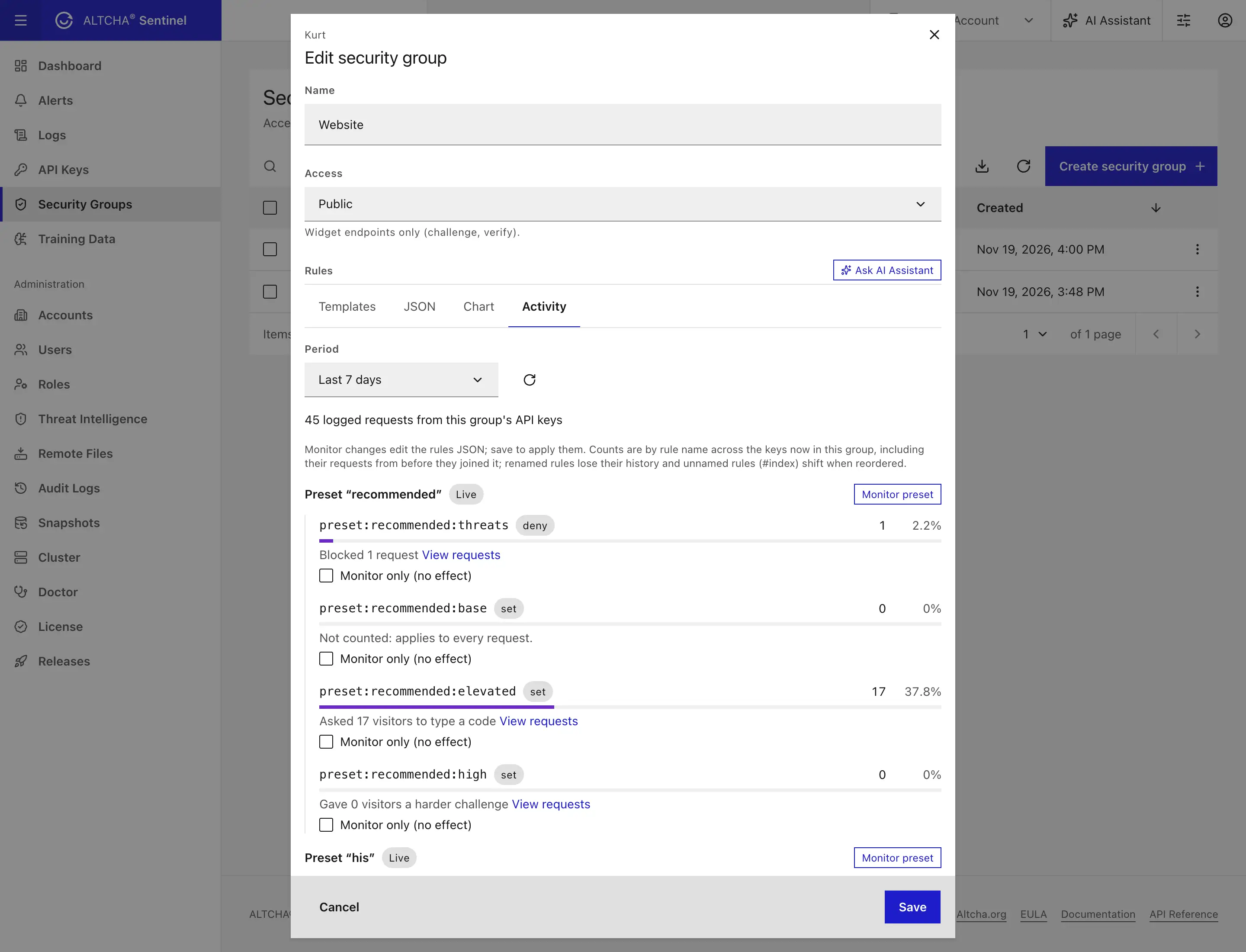
Any rule or preset can run in monitor mode: Sentinel evaluates it and records what it would have done, without affecting visitors. After a few days, the group's Activity tab shows how many requests each preset rule would have denied, allowed, or escalated, and one click turns the preset on.
See every decision, and teach Sentinel your traffic
- Every verdict explains itself. The classifier rules that fired are signed into the result your backend receives and recorded in the request logs, so you can find the one rule that misfires on your traffic and turn it off for that form.
- Feedback from your moderators. When a moderator restores a message, your application can send it back as a negative example, and similar legitimate messages stop matching.
- Suggestions to review. Sentinel queues texts it flagged on content alone, so you can confirm real spam and mark false positives in the admin UI.
More ways to stop abuse
Rules that put you in control
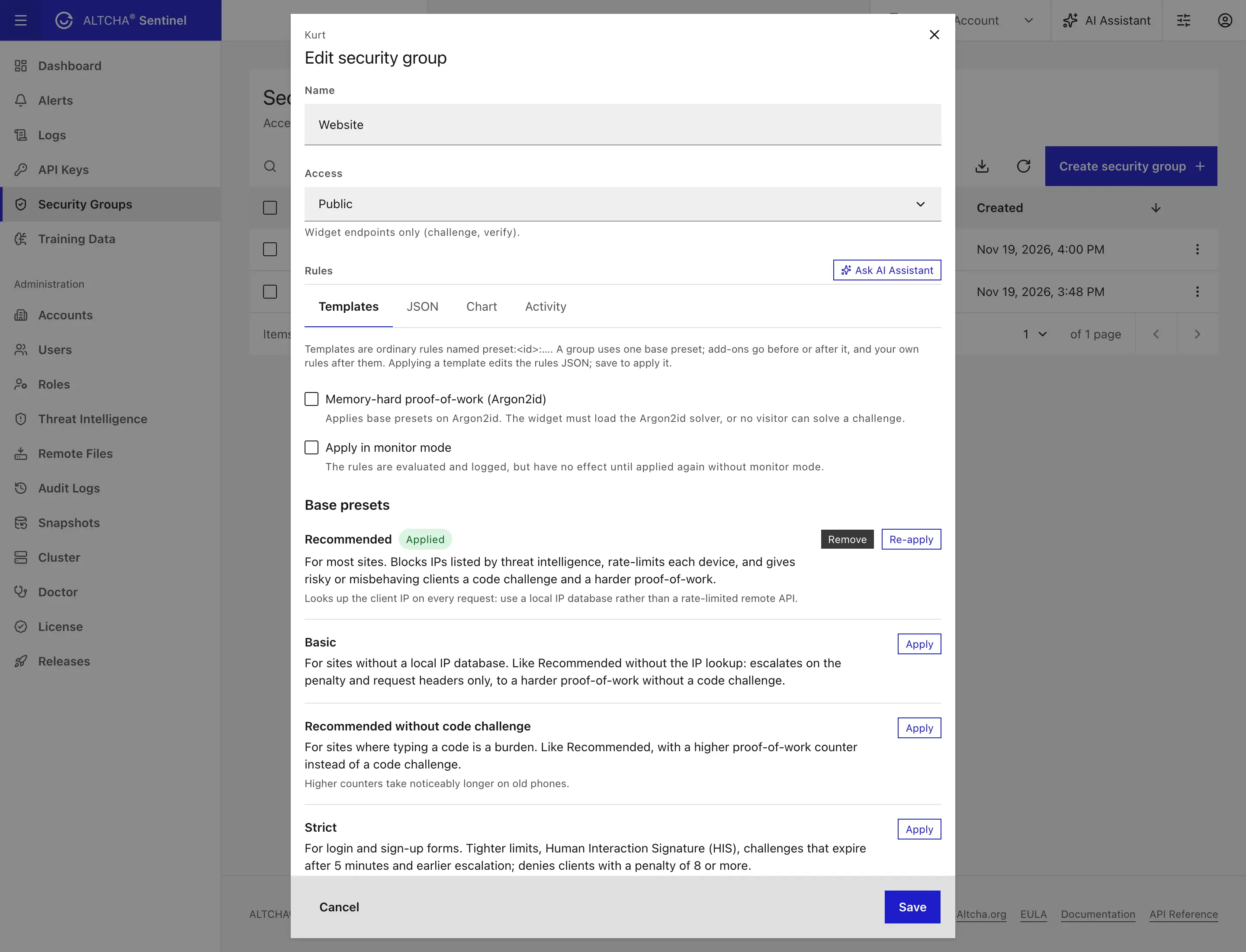
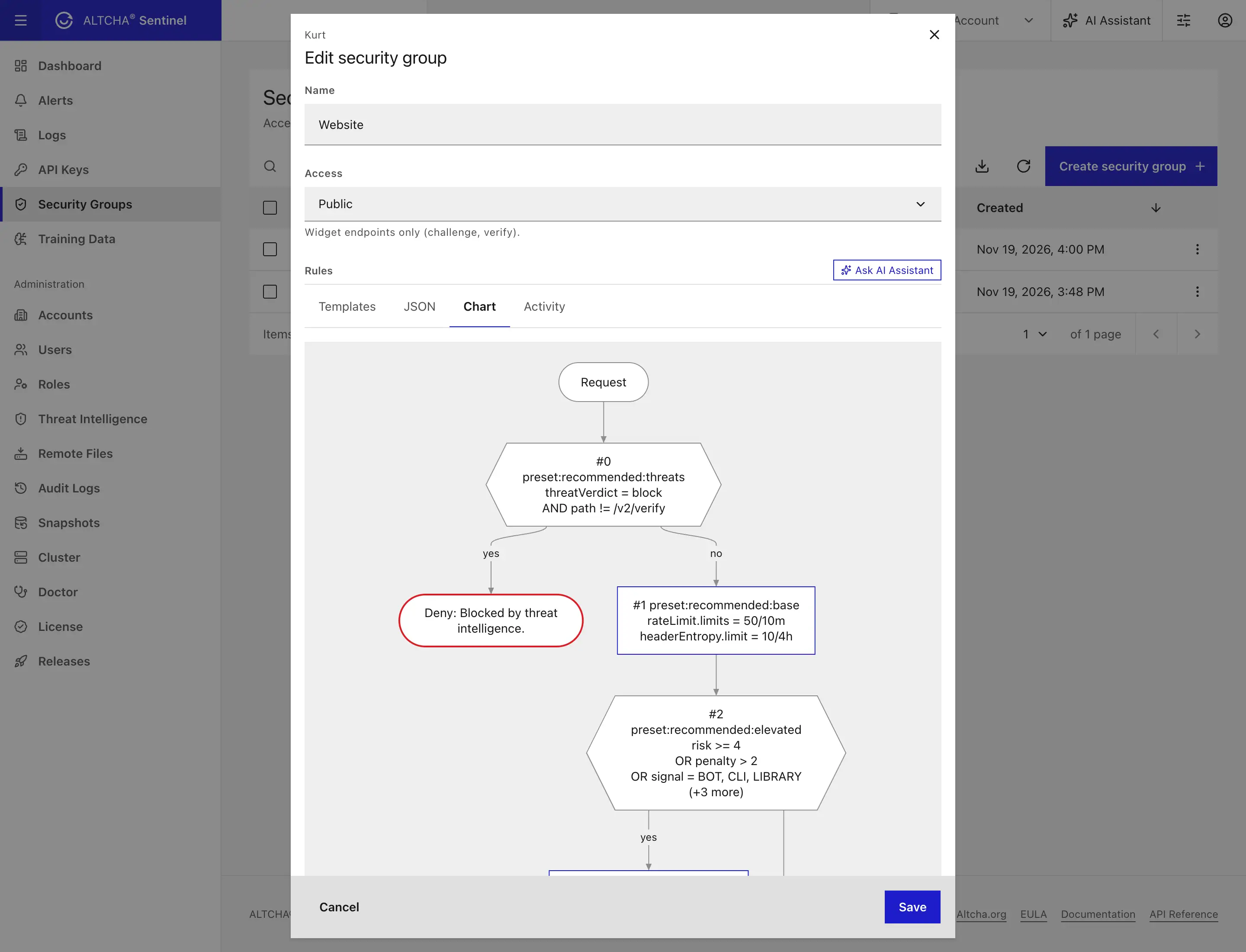
Each API key belongs to a security group with an ordered list of rules: allow, deny, or tune the challenge based on threat lists, country, network, risk, penalty, headers, or the agent behind the request. Presets write tested rule sets for you, and every change takes effect at runtime, without a restart.
Threat intelligence out of the box
Sentinel starts with 15 well-known threat lists, such as FireHOL, Spamhaus DROP, and Tor exits, and keeps them up to date. It also learns from attacks on its own: an IP that keeps failing to sign in, trips Sentinel's global rate limit, or probes for pages such as /wp-login.php goes on a block list for 48 hours by default.
- Use it everywhere. Deny widget requests from listed IPs (the Recommended preset does this for you), refuse admin logins from blocked IPs, and use threat data in your own rules.
- Check before you accept. Your backend can look up an IP before it accepts a sign-up or a payment.
- Report what you see. Send abusive IPs from your own application, and they go on the same block list for all your forms.
See Threat intelligence.
Content protection beyond keywords
- Similarity matching compares submissions with your own labeled examples by meaning, across languages, using a model that runs inside Sentinel or OpenAI embeddings.
- Campaign detection spots the same message arriving from many IPs, and near-duplicate detection catches lightly edited copies.
- Injection detection scans every form field for SQL, HTML, email-header, template, and NoSQL injection attempts.
- The AI decider lets an AI model review submissions against your own instructions, such as what your form is for.
- Email analysis adds DMARC checks, deceptive links, and risky attachments such as executables disguised as documents.
Built for the age of AI agents
Sentinel recognizes crawlers, AI training and search bots, and agents that browse on a user's behalf. Block them all with one preset, or let verified agents through. See Bots & AI agents.
Stronger security
Reworked API keys and access
Sentinel v2 keeps each kind of credential to its own job. Admin users sign in to manage Sentinel, public keys serve the widget, and restricted or full keys call the detection APIs from your servers. A key sent to the wrong endpoint, or in the wrong way, is refused.
- Server keys need their secret. A server key works only with its id and secret together. If its id ends up in a web page or a URL, the id alone unlocks nothing.
- Widget keys can only do widget work. A
publickey can fetch and verify challenges, but it can't call the detection APIs or manage anything. - Secrets stay secret. Key secrets are encrypted in the database, and only users allowed to manage API keys can see them.
- Keys can expire. Give a key an expiry date, and it stops working on its own.
- Automation gets only the access it needs. A
fullkey can manage an account only after a root user gives its security group a role. Keys can never widen their own access, and every change made with a key is recorded in the audit log under the key's id.
Alerts that audit your deployment
Sentinel watches how its own credentials are used and alerts you when something looks wrong:
- A server key is used from a browser page, or sent without its secret. Both mean the key is in a place it shouldn't be.
- A server key gets repeated wrong secrets, or shows up from an unusual number of networks.
- A server key with the right secret is denied by its own rules. Whoever sent it holds the secret.
- Someone is guessing passwords, from one IP or spread across many IPs against one username.
- A root user signs in from a new country, if you turn this alert on.
- A security release is out that your deployment doesn't run yet.
The doctor command audits your configuration too. It warns when the admin UI is reachable without an IP allow-list, when the metrics endpoint has neither an allow-list nor a token, when a root user has no second factor, when a server key can be used from any IP, and when the secrets file is readable by other users.
Locked-down admin access
- Private by default. The admin UI is off until you turn it on, and it can run on its own port, limited to your own IPs.
- Passkeys and two-factor sign-in, with step-up verification before sensitive actions.
- Single sign-on with Azure, Google, Keycloak, and Okta, and LDAP.
- Known attackers are stopped at the door. Sign-ins from IPs that your threat entries block are refused before a password is even checked.
See Admin sign-in & SSO.
Private by design
Sentinel is self-hosted, so your data stays on your own infrastructure. Sentinel stores only what protection needs, and only for as long as it needs it.
- No cookies on your visitors. Sentinel recognizes the same device for the day without a cookie or a stored ID, so Sentinel itself usually needs no consent banner.
- No visitor data leaves your servers by default. Integrations that send data to a third party, such as the AI decider or OpenAI embeddings, are optional, and the ones on by default send no visitor data.
- IP anonymization in one setting. Turn it on, and Sentinel shortens client IPs before it stores them in request logs, audit logs, and alerts, or writes them to log lines.
- Clear retention. Each kind of personal data Sentinel stores has a documented retention period, and Sentinel deletes expired data on its own. Request logs are kept for 72 hours by default.
- Form content isn't stored. Sentinel doesn't keep the form fields it checks or the challenge solutions it verifies.
Simpler to run
- One configuration file. All server settings live in one TOML file, with secrets read from environment variables or mounted files.
- Built-in diagnostics. The
doctorcommand checks your configuration, storage, network, and host before you go live, and the admin UI's Doctor page checks the running server. - Encrypted snapshots. Back up and restore the whole database in one file, encrypted with age and stored in S3 or Azure if you like.
- Works without internet access. Sentinel doesn't need the internet to start or to serve its API. Route its downloads through a proxy or an internal mirror, and license it with a file verified offline. See Outbound proxy & air-gapped deployments.
- Alerts where you work. Get notified of security events, outages, license issues, and new releases by webhook, Slack, email, or browser push.
- Observability. Export metrics to Prometheus and traces to OpenTelemetry.
- A built-in assistant. Ask the AI assistant in the admin UI about the settings on your screen.
Upgrading from v1
Sentinel v2 is a new server, so you install it alongside v1 and move over when you're ready. A migration tool carries over your accounts, users, API keys, security groups, and training data. A few v1 features were retired, among them Forms and Autopilot; the upgrade guide lists each one with its replacement, where there is one. Sentinel v1 remains supported for 18 months after v2 reaches general availability.
Next steps
Get started
Upgrade from v1
Explore the features
Plans & Licensing