

Esta página aún no está disponible en tu idioma.
Integrate with ALTCHA Cloud
1. Create an Account
To use the ALTCHA Cloud service, sign up and complete the registration process.
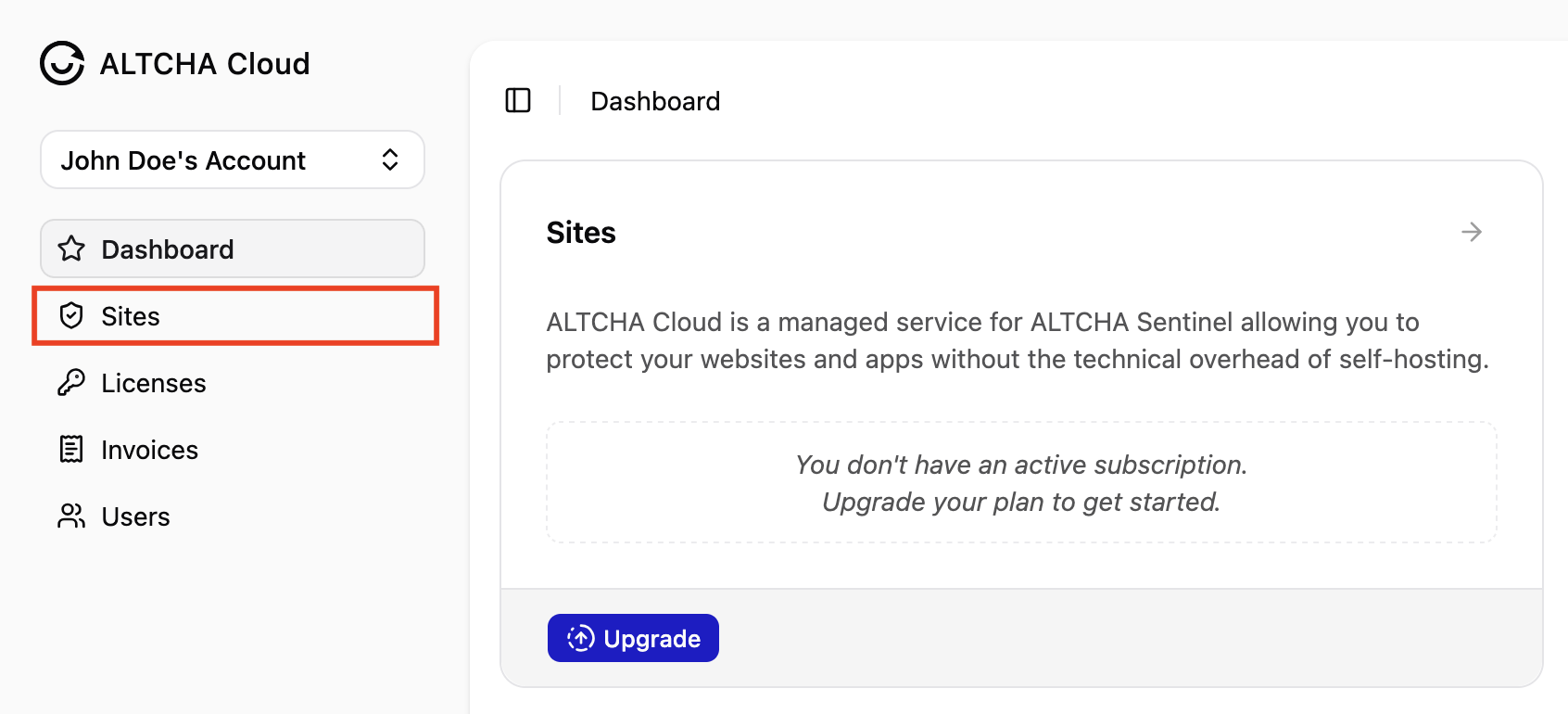
Once registered, navigate to Sites and upgrade to the Cloud Plan of your choice. When your free 30-day trial is activated, add your site by entering the URL of the website where you want to integrate ALTCHA protection.
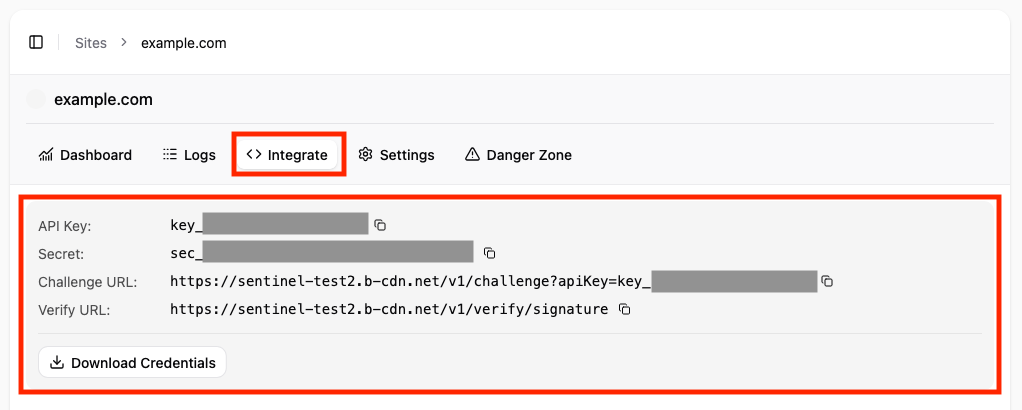
After adding your site, navigate to Integrate to view the unique credentials required for the integration.
2. Add the Widget
Add the ALTCHA Widget to your website. We provide an npm package (recommended) and a CDN script.
The widget must be configured with your site’s unique challenge URL:
<altcha-widget challenge="https://eu.altcha.org/v1/challenge?apiKey=key_..."></altcha-widget>You can find the challenge URL under the site’s Integrate tab.
For detailed integration guides, see the Widget Integration documentation.
3. Update Your Server
The ALTCHA payload must be verified on your server, typically in your form submission handler.
Similar to Google reCAPTCHA, we recommend calling a remote URL to securely verify the payload. The endpoint responds with a verified: boolean property indicating whether verification was successful.
We provide libraries for several programming languages. Below are minimal integration examples:
import { verifyServer } from 'altcha-lib';
const result = await verifyServer({  payload: '{{ALTCHA}}',  // raw base64 string  url: 'https://eu.altcha.org/v1/verify/signature',  secret: 'sec_...',});
if (result.verified) {  // ...}
use AltchaOrg\Altcha\Sentinel;use AltchaOrg\Altcha\VerifyServerOptions;
$result = Sentinel::verify(new VerifyServerOptions( payload: $_POST['altcha'], // raw base64 string url: 'https://eu.altcha.org/v1/verify/signature', secret: 'sec_...',));
if ($result->verified) { // ...}import altcha "github.com/altcha-org/altcha-lib-go/v2"
result, err := altcha.VerifyServer(ctx, altcha.VerifyServerOptions{ URL: "https://eu.altcha.org/v1/verify/signature", Payload: "{{ALTCHA}}", Secret: "sec_...",})if err != nil { // transport failure: network error, unexpected HTTP status, or ctx cancellation}if result.Verified { // valid}from altcha import verify_server
result = verify_server( payload="{{ALTCHA}}", // raw base64 string url="https://eu.altcha.org/v1/verify/signature", secret="sec_...")
if result.verified: ...POST https://eu.altcha.org/v1/verify/signatureContent-Type: application/json
{ "payload": "{{ALTCHA}}", "secret": "sec_..."}The widget submits the ALTCHA payload as a form field. The default field name is altcha, but you can also configure the payload to be submitted as a cookie.
Extract the payload value and use it as the payload property in the verification function.
For a detailed description of the verification result, see the API reference under Responses → 200 OK.
Alternatively, you can verify the payload cryptographically without making an HTTP request. However, if you choose cryptographic verification, you must handle replay attacks yourself.
WordPress Plugin
If you’re using the WordPress Plugin, you can enable advanced protection with ALTCHA Cloud under Advanced Settings → Mode. Select ALTCHA Sentinel or Cloud, then configure your Cloud credentials by entering the Challenge URL and API Key Secret.