# Features
Say goodbye to spam, abuse, and frustrating CAPTCHAs. The ALTCHA WordPress plugin protects your website with modern, invisible security — keeping bots out while letting real users in. It runs entirely within WordPress, with no external service required and no visitor data ever leaving your server.
## Two modes, so you only pay for what you need
The plugin protects your site out of the box, and scales up when you need more.
- **Standard mode** is a self-contained proof-of-work engine, built into the plugin. It's free, requires no external account or service, and blocks the vast majority of bots and scripted spam with zero ongoing maintenance.
- **Sentinel mode** connects the plugin to ALTCHA's adaptive detection engine, for a step up in defense: risk-based [Adaptive Captcha](/docs/sentinel/features/adaptive-captcha/), [Human Interaction Signature](/docs/sentinel/features/human-interaction-signature/) analysis, real-time [Threat Intelligence](/docs/sentinel/features/threat-intelligence/), and self-tuning [Autopilot](/docs/sentinel/features/autopilot/) — all still invisible to legitimate visitors. Point it at a self-hosted [ALTCHA Sentinel](/docs/sentinel/) instance for full control, or at [ALTCHA Cloud](/docs/cloud/) for the same engine as a managed SaaS with nothing to run yourself.
Switch between modes any time from **Settings** — see [Mode of operation](/docs/wordpress/configuration/#mode-of-operation).
## Plugins and integrations
The plugin automatically protects WordPress login, registration, and comment forms out of the box — no setup required. It also integrates with a wide range of popular form and e-commerce plugins, and supports custom form handlers for anything it doesn't recognize automatically. See the full list on the [Advanced](/docs/wordpress/advanced/#plugin-integrations) page.
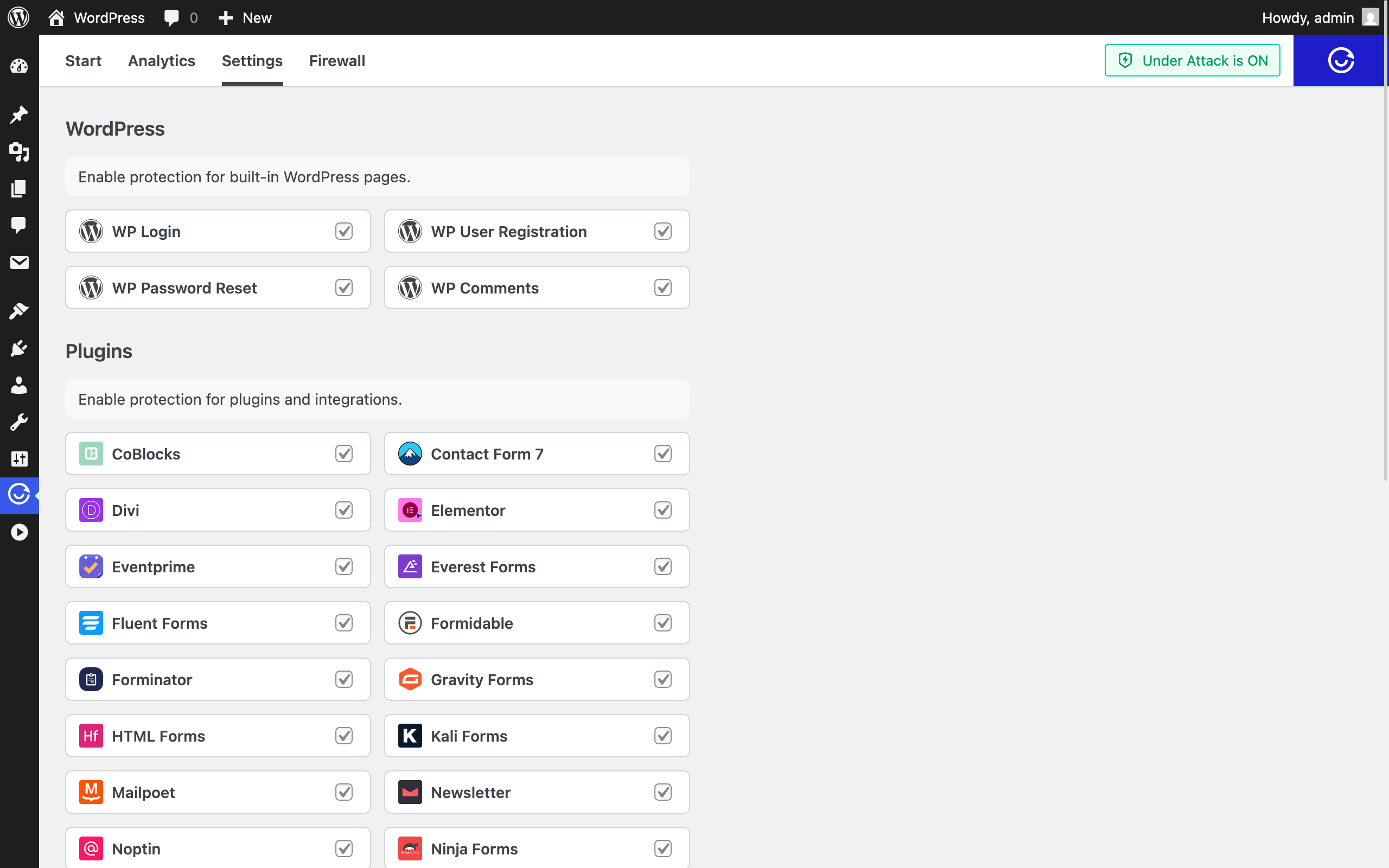
Supported Plugins
## Invisible protection
No more "click the traffic lights" puzzles. ALTCHA verifies visitors silently in the background — no image grids, no "I'm not a robot" checkbox. Forms are protected automatically, with no markup changes required, so spam stays out without hurting conversion rates. When a code challenge is warranted, it can render inline or as a floating overlay instead of interrupting the page.
## Under Attack Mode
Heavy bot traffic or a sudden surge in real visitors can crash a WordPress site. Under Attack Mode keeps your site responsive by requiring a one-time proof-of-work challenge, followed by a short-lived cookie for subsequent requests.
In testing, WordPress without protection managed roughly 30 concurrent connections before becoming unresponsive. With Under Attack Mode, the same setup handled roughly 150 concurrent connections — a 5x improvement.
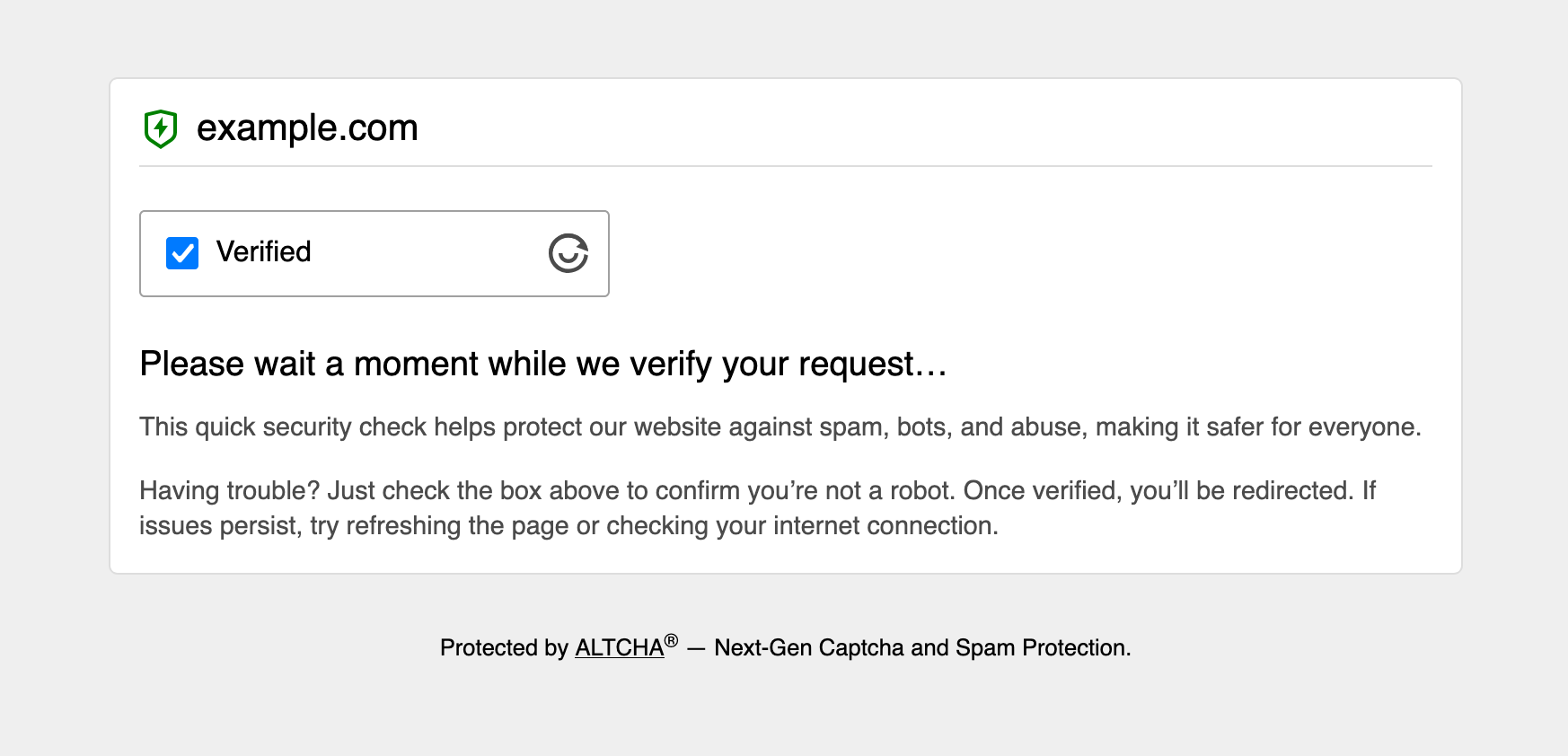
Under Attack Challenge Page
## Analytics dashboard
The plugin logs successful verifications, failed attempts, and blocked requests, with detailed entries you can review from the ALTCHA dashboard in your WordPress admin — useful for monitoring how effective your current settings are.
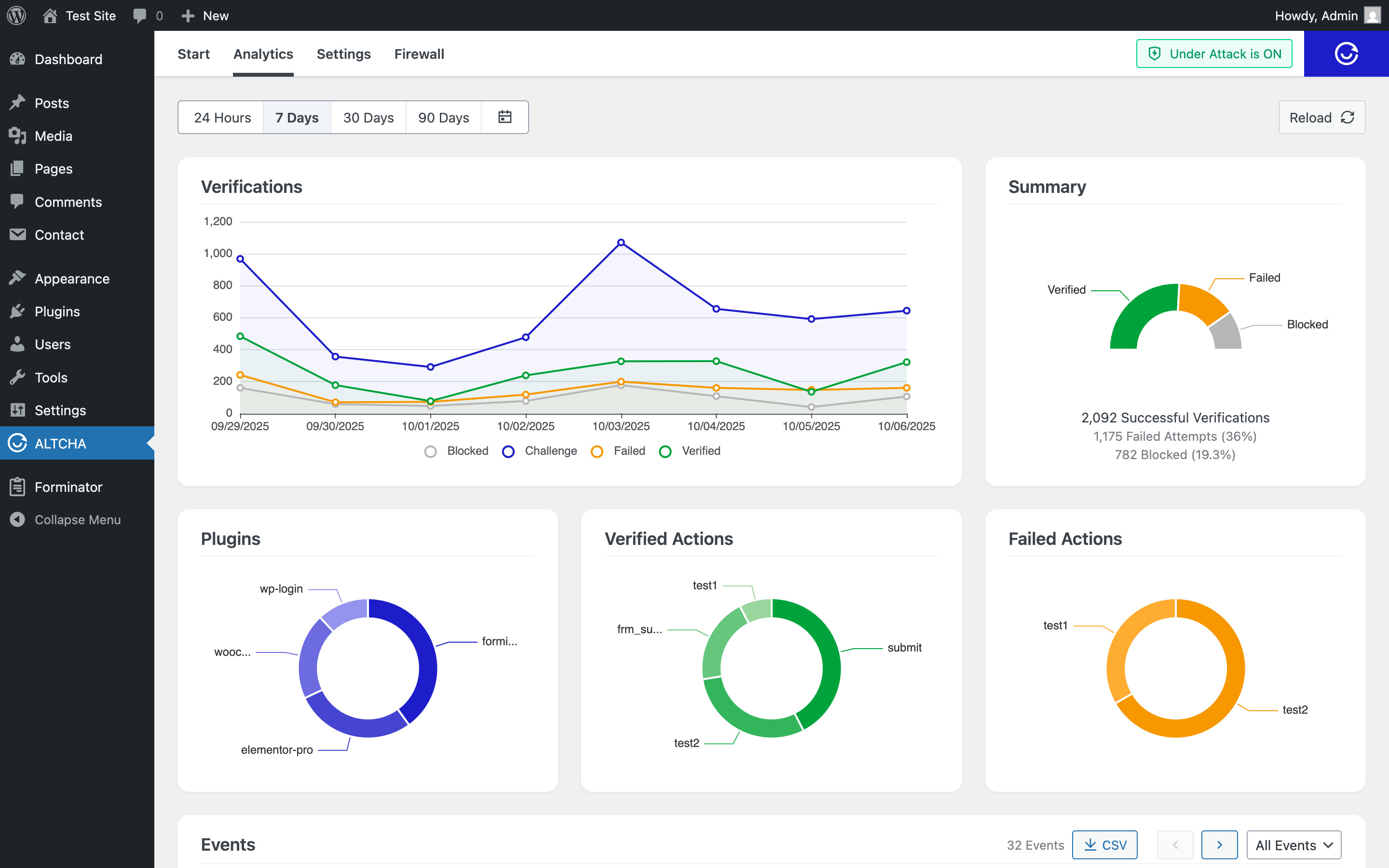
Analytics Dashboard
## Firewall
Stop known bad actors before they ever reach your content. Block traffic by:
- **IP address**
- **Country** (ISO country codes)
- **User-Agent** pattern
Blocking behavior automatically tightens while [Under Attack Mode](#under-attack-mode) is active, for stricter enforcement during an attack.
## Rate limiting
Cap requests or submissions per time window to shut down spam floods and brute-force attempts — before they turn into an incident. Limits key off a device identifier, IP address, or user ID, using a simple `count/window` format (e.g. `10/10m` for ten requests per ten minutes).
Learn more about [Rate Limiting](/docs/wordpress/configuration/#rate-limiting) and related configuration.
## Obfuscation
Keep scrapers from harvesting your email addresses and phone numbers. Sensitive text stays hidden from bots while remaining fully visible and clickable for real visitors. See [Obfuscation](/docs/wordpress/advanced/#obfuscation) for the shortcode.
## Next steps
- **[Get Started](/docs/wordpress/get-started/)** — install the plugin and see it protecting your site in minutes.
- **[Configuration](/docs/wordpress/configuration/)** — turn these features on and tune them.
- **[Advanced](/docs/wordpress/advanced/)** — shortcodes, hooks, and the full plugin-integration list.